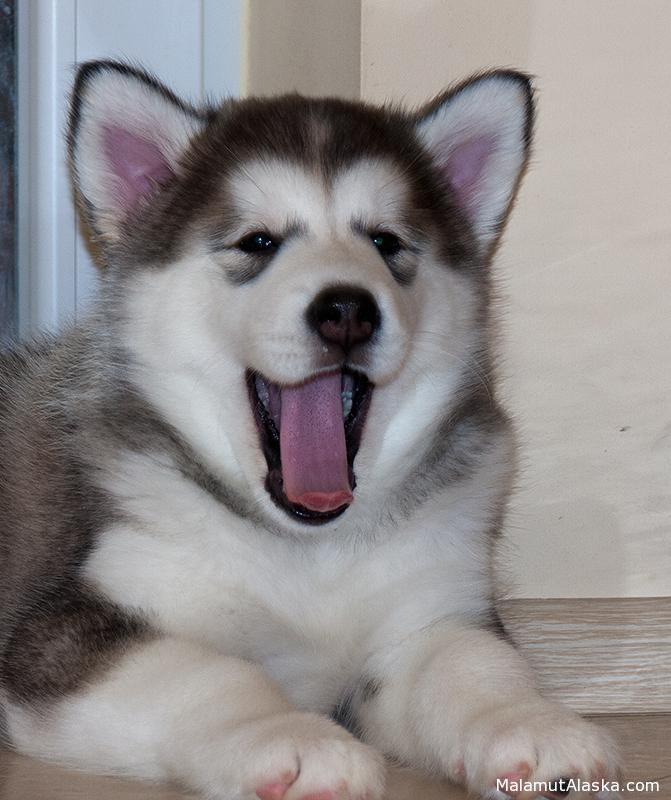
Аляскинский Маламут Аделия (Adelia Northern Sunrise)
| abcd | ab | a |
| b | ||
| cd | c | |
| d |
Reveal Modal Goodness
This is a default modal in all its glory, but any of the styles here can easily be changed in the CSS.
×
Reveal Modal Goodness
Lorem ipsum dolor sit amet, consectetur adipisicing elit, sed do eiusmod tempor incididunt ut labore et dolore magna aliqua. Ut enim ad minim veniam, quis nostrud exercitation ullamco laboris nisi ut aliquip ex ea commodo consequat. Duis aute irure dolor in reprehenderit in voluptate velit esse cillum dolore eu fugiat nulla pariatur. Excepteur sint occaecat cupidatat non proident, sunt in culpa qui officia deserunt mollit anim id est laborum.
Reveal Modal Goodness
voluptatem quia voluptas sit aspernatur aut odit aut fugit, sed quia consequuntur magni dolores eos qui ratione voluptatem sequi nesciunt. Neque porro quisquam est, qui tempora ipsum quia dolor sit amet, consectetur, adipisci velit, sed quia non numquam eius modi tempora incidunt ut labore et dolore magnam aliquam quaerat voluptatem. Ut enim ad minima veniam, quis nostrum exercitationem ullam
Lorem Ipsum is simply dummy text of the printing and typesetting industry. PageMaker including versions of Lorem Ipsum.Lorem Ipsum Lorem Ipsum has been the industry’s standard dummy text ever since the 1500s, when an unknown printer took a galley of type and scrambled it to make a type specimen book. with the release of Letraset sheets containing Lorem Ipsum passages, and more recently with desktop publishing softLorem Ipsum It has survived not only five centuries, but also the leap into electronic typesetting, remaining essentially unchanged. It was popularised in the 1960s with the release of Letraset sheets containing Lorem Ipsum passages, and more recently with desktop publishing software like Aldus PageMaker including versions of Lorem Ipsum.
[like-gate]
Для создания этого эффекта нужно воспользоваться бесплатным плагином Like Gate для WordPress. Скачайте его на компьютер и установите на блог:
1. В админ. панели WordPress слева выберите «Плагины — Добавить новый».
Как на блоге давать доступ к контенту после нажатия Мне нравится или Поделиться?
2. Вверху нажмите ссылку «Загрузить», затем выберите скачанный файл плагина на компьютере и нажмите кнопку «Установить».
[/like-gate]
